Manager
QR codes, guest import, offers, campaigns, holiday greetings, emails and results.
Everything in the front desk page is yours too.
Print your QR codes
Open QR codes. Each room or table can have its own code, so you see which spots bring guests in.
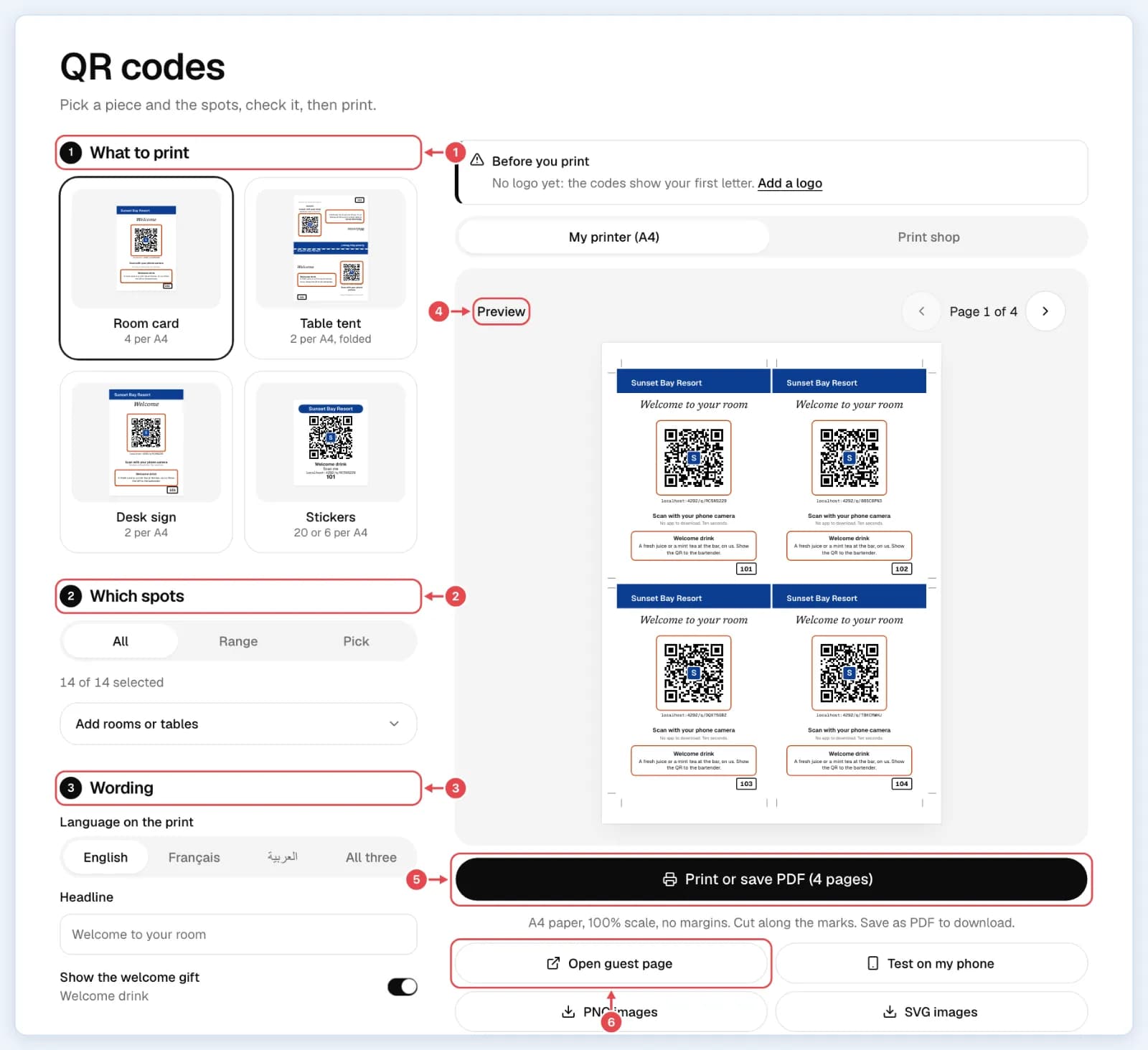
- What to print: room card, table tent, desk sign or stickers.
- Which spots: all of them, a range or a hand pick. Add rooms or tables here. Ranges like 101-120 work.
- Wording: the language on the print (or all three), the headline and whether to show the welcome gift.
- The preview. Read the Before you print warnings above it, for example a missing logo.
- Print or save PDF. On your own printer use A4 at 100% scale with no margins and cut along the marks. For a printing company choose Print shop and send them the PDF.
- Open guest page or Test on my phone before you print. A test creates no guest.
Removing a saved spot does not break codes already printed. PNG and SVG images are there for a designer, and Guests by spot at the bottom counts what each code brought.
Import a guest list
Use Import to bring in a list from your reservation system or a spreadsheet, saved as CSV, up to 1000 rows and 1 MB at a time.
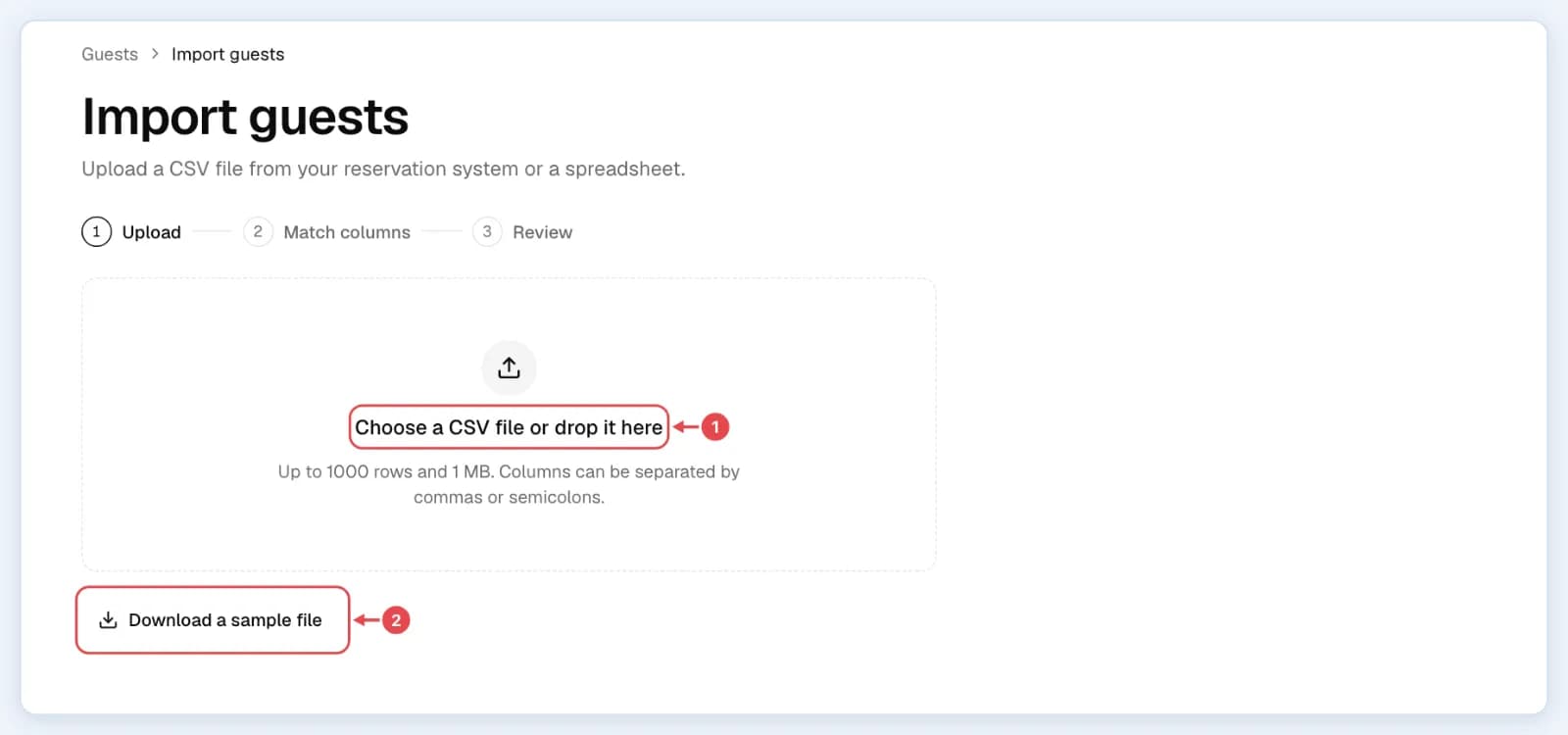
- Choose or drop your file. The first row must be the column names.
- Or download the sample file and fill it in.
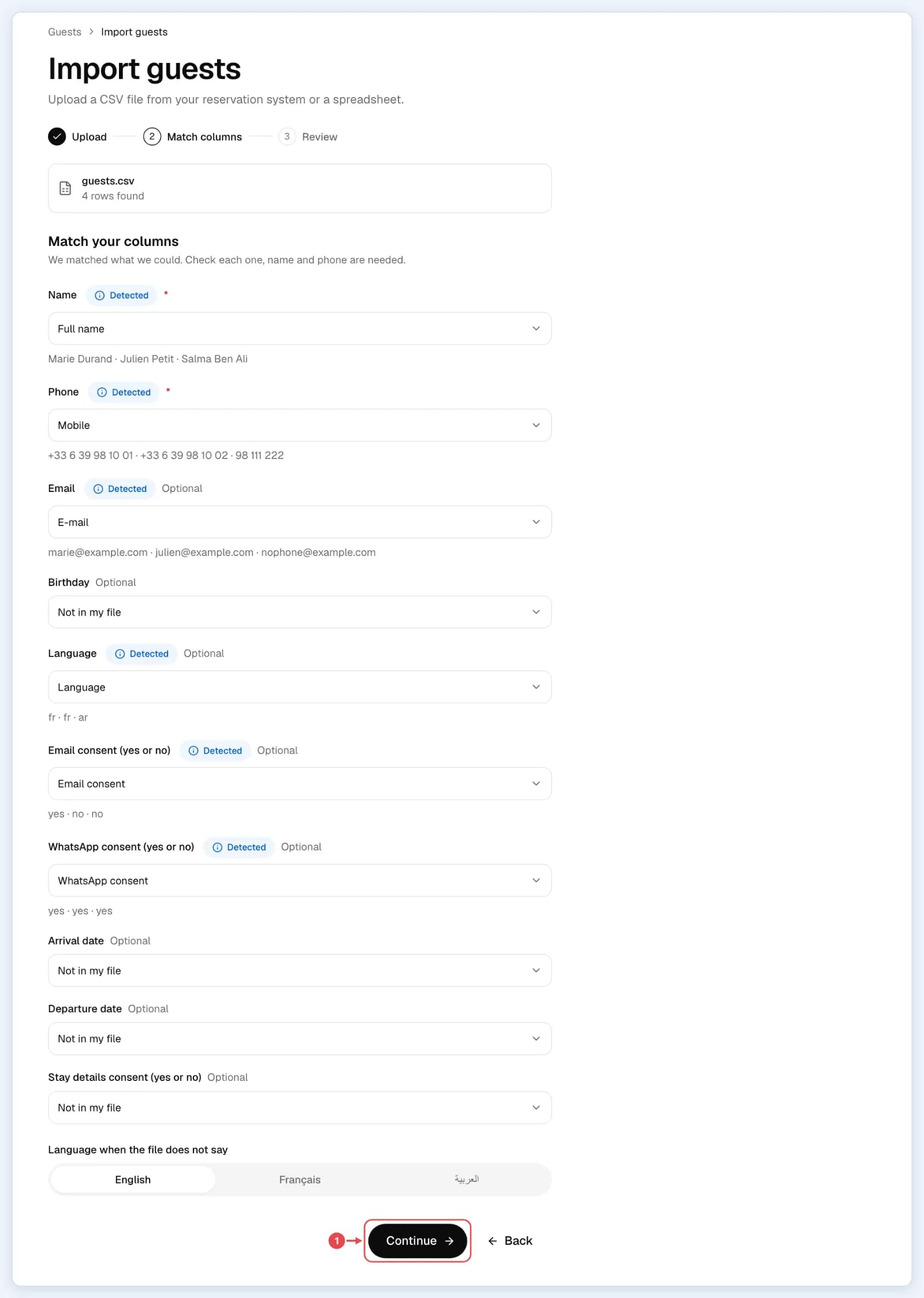
- Check that each column was matched correctly (name and phone are required), then Continue.
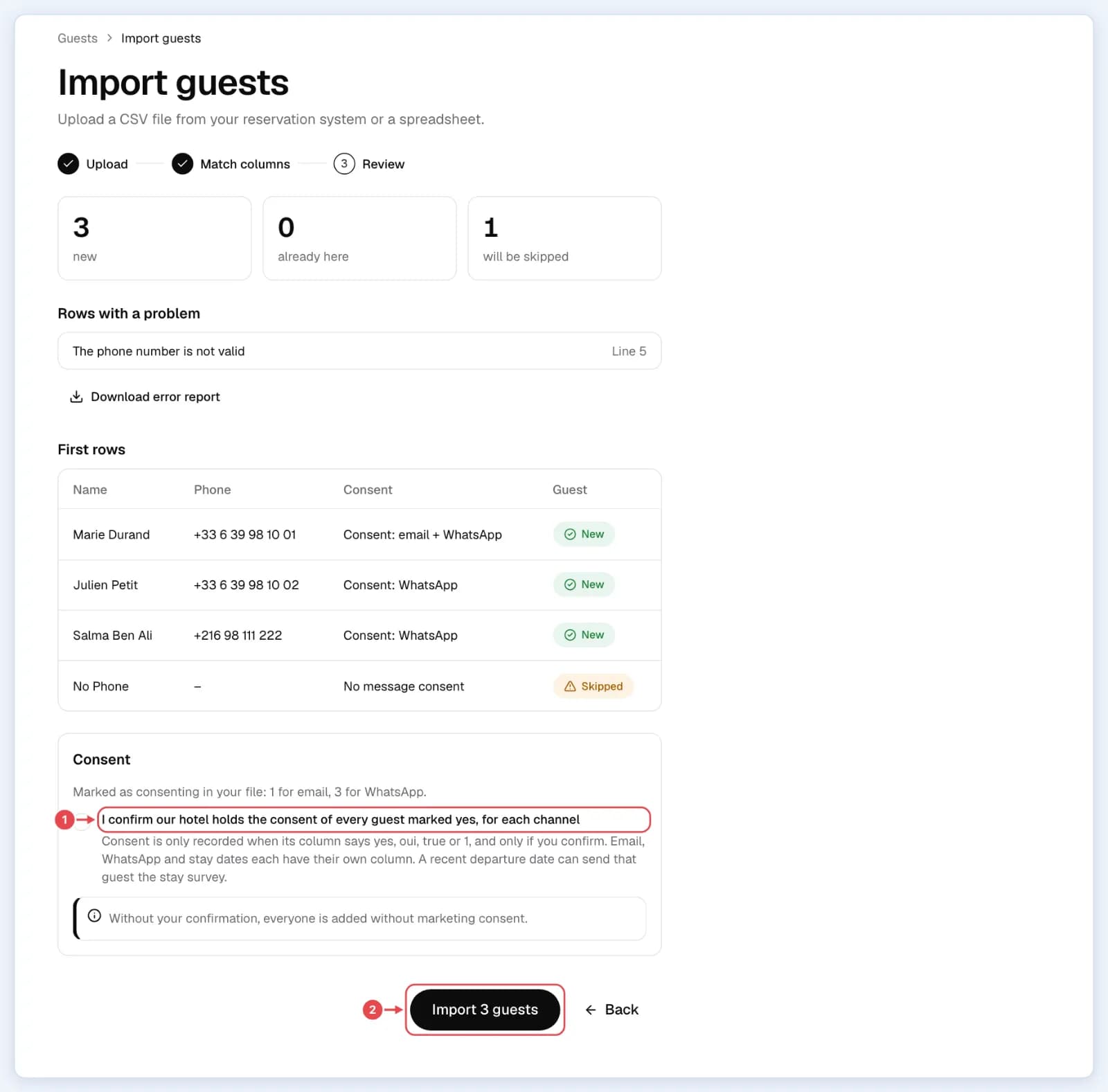
Check how many are new, already there or skipped. The error report lists the rows to fix.
- Consent is only recorded for cells that say yes, oui, true or 1, and only if you confirm that your hotel really holds that consent.
- Import.
Guests who had opted out before stay opted out. No welcome message goes to an imported list, but a departure date in the last 14 days can send that guest the stay survey.
Offers
An offer is a perk such as a welcome drink. Each guest gets their own code.
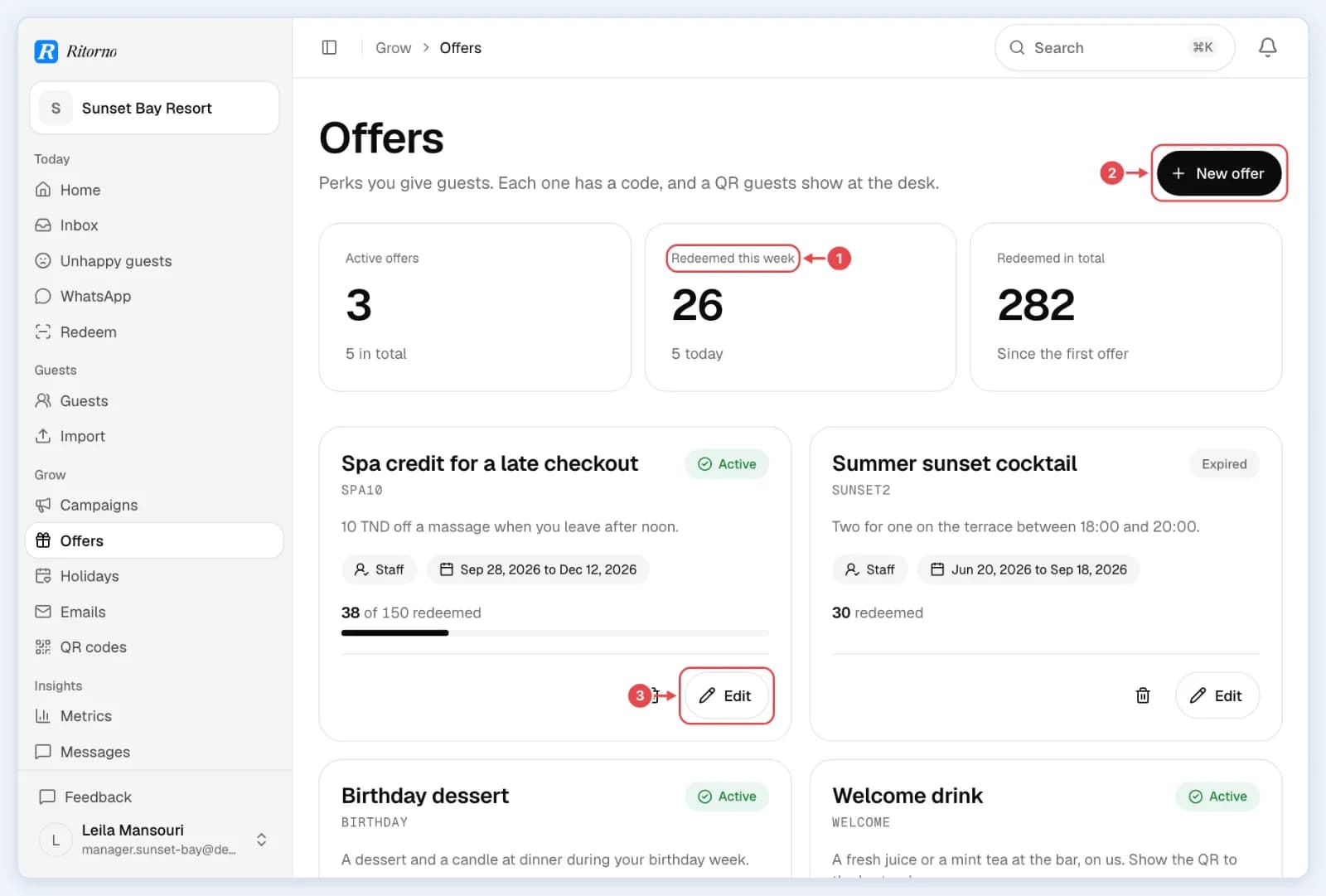
- How many were redeemed this week.
- New offer.
- Edit an offer, for example to pause it. Deleting an offer takes the code away from guests who hold it, so prefer pausing.
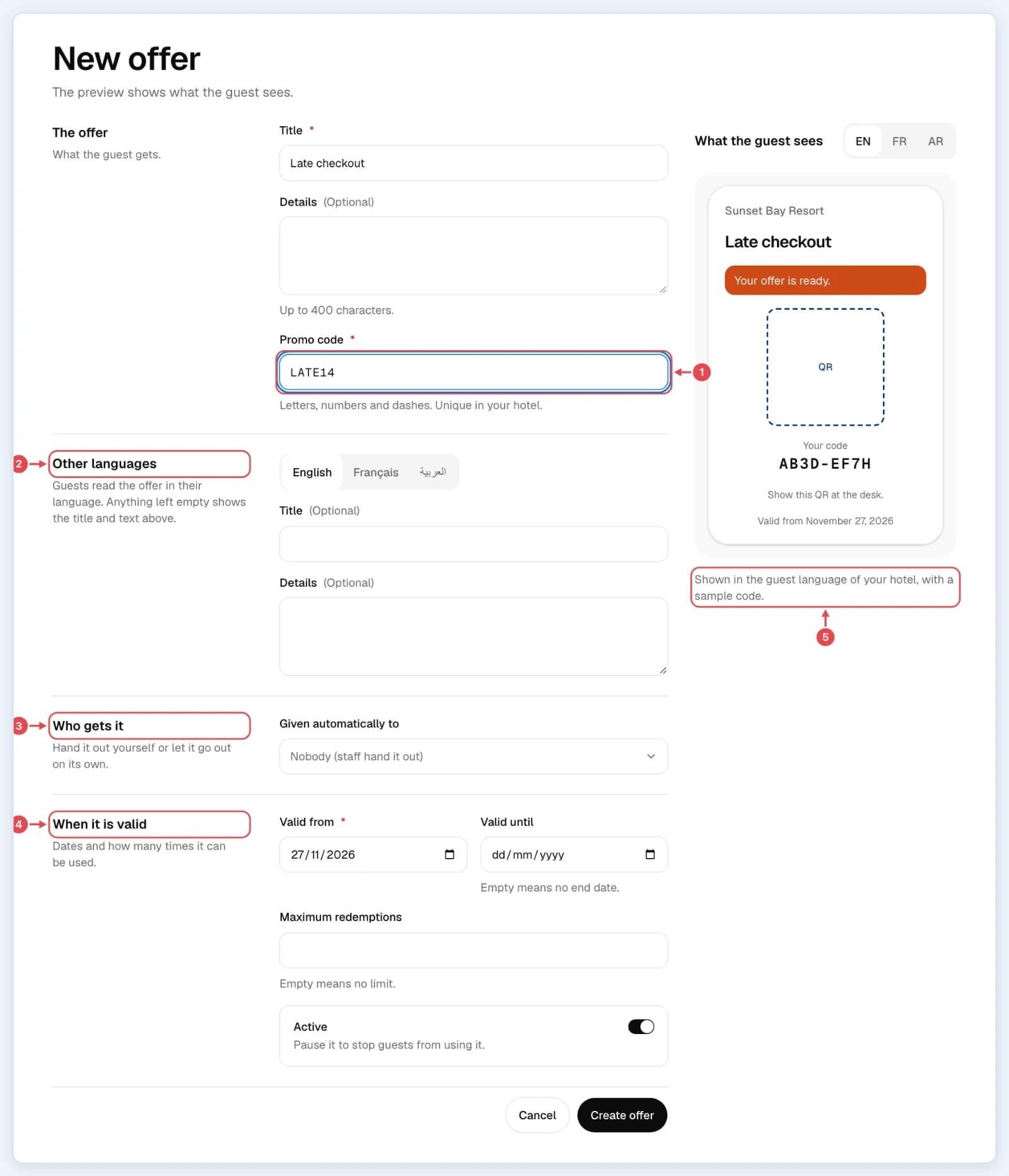
- Give it a title and a promo code that no other offer of yours uses.
- Other languages: write the title and details in English, French and Arabic. A language you leave empty shows the main text.
- Who gets it: hand it out yourself, or give it automatically to new guests (sent with the welcome) or for birthdays.
- When it is valid: start, end and an optional maximum number of redemptions. Switch Active off to pause.
- The preview shows what the guest will see.
Campaigns
A campaign is one message sent to many guests. Only guests who agreed to that channel receive it.
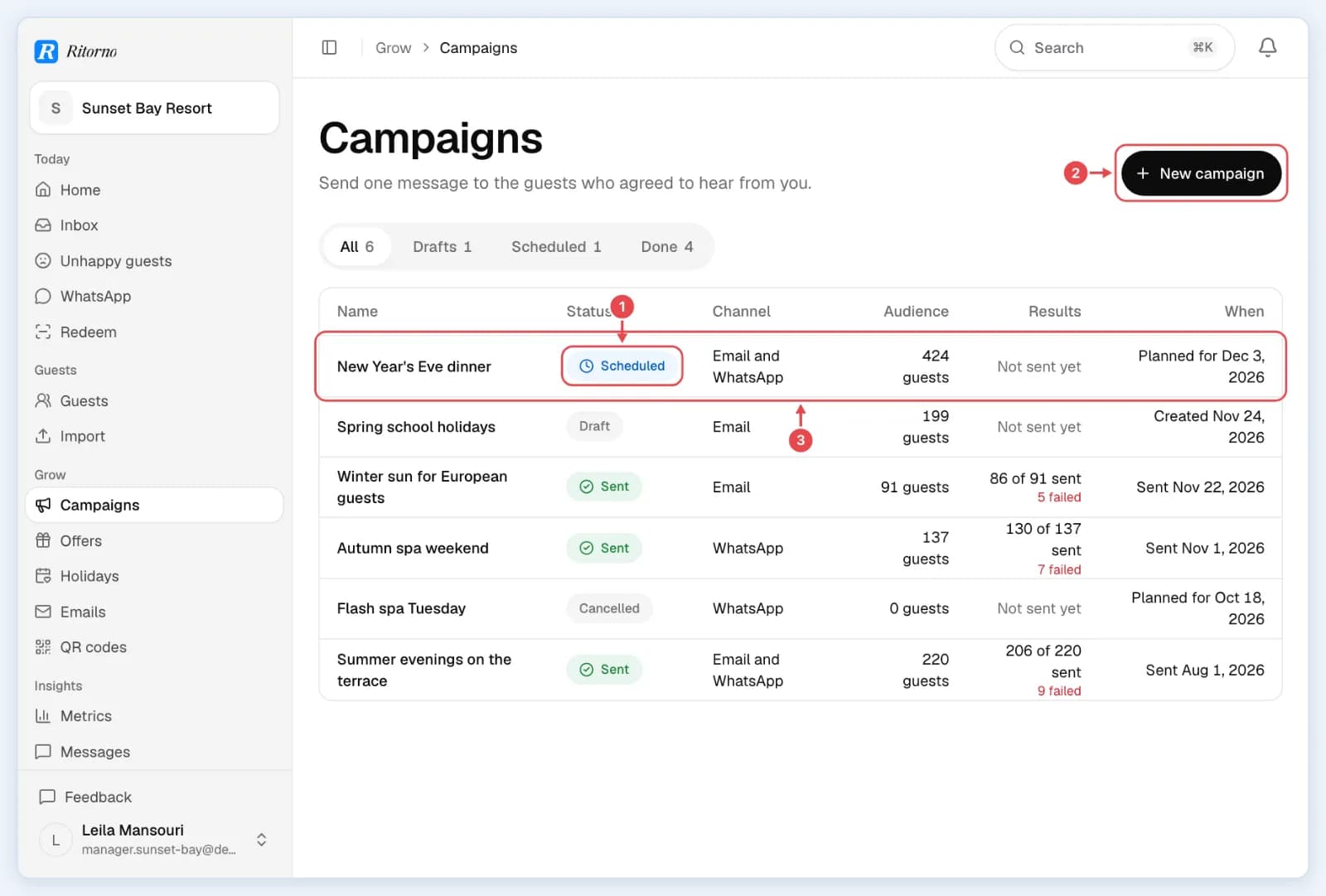
- The status: draft, scheduled, sent or cancelled.
- New campaign.
- A row opens the campaign and its results.
Writing one takes four steps.
1. Audience. Narrow by language, how they joined, country or last stay, or leave all empty to reach everyone.
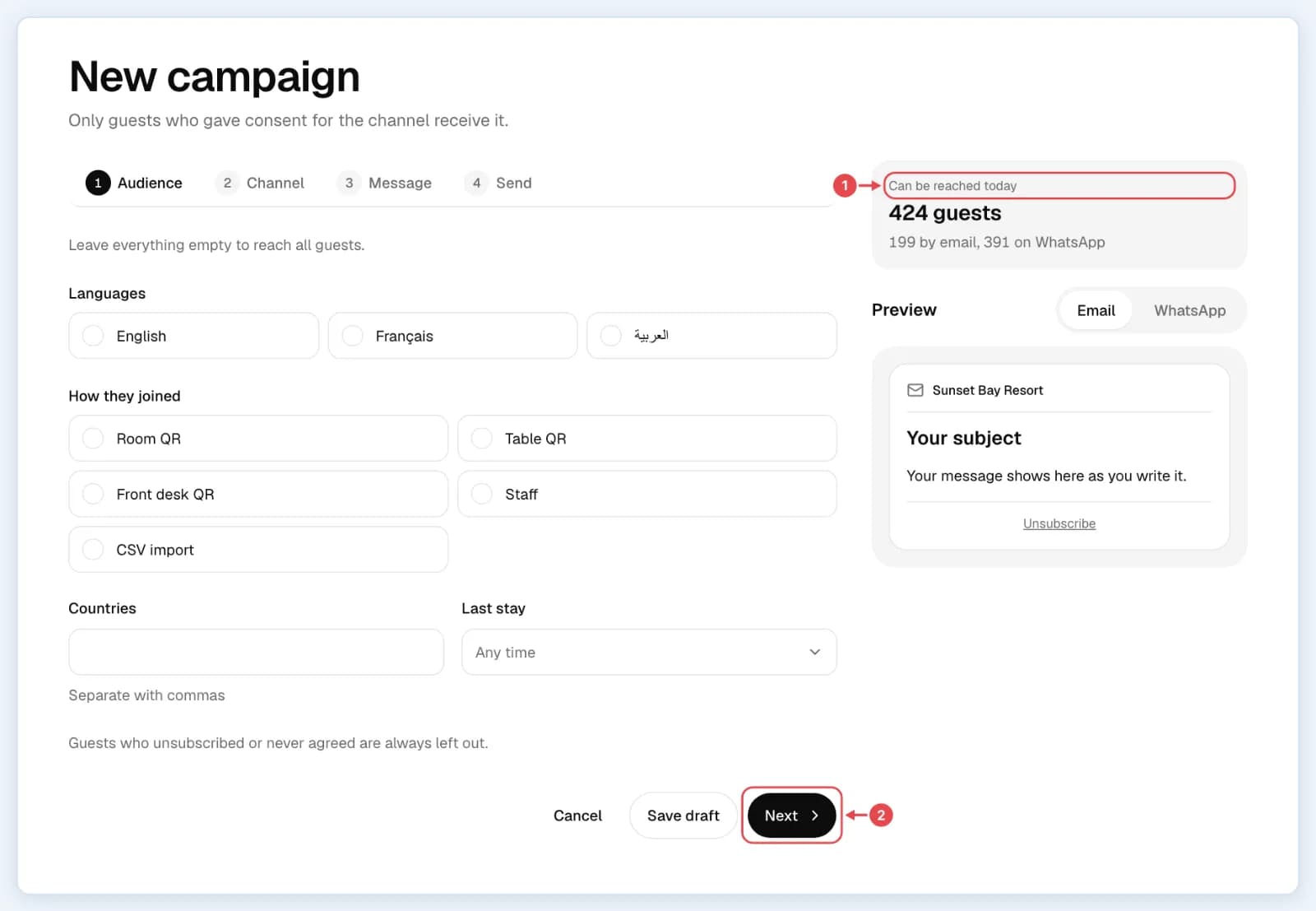
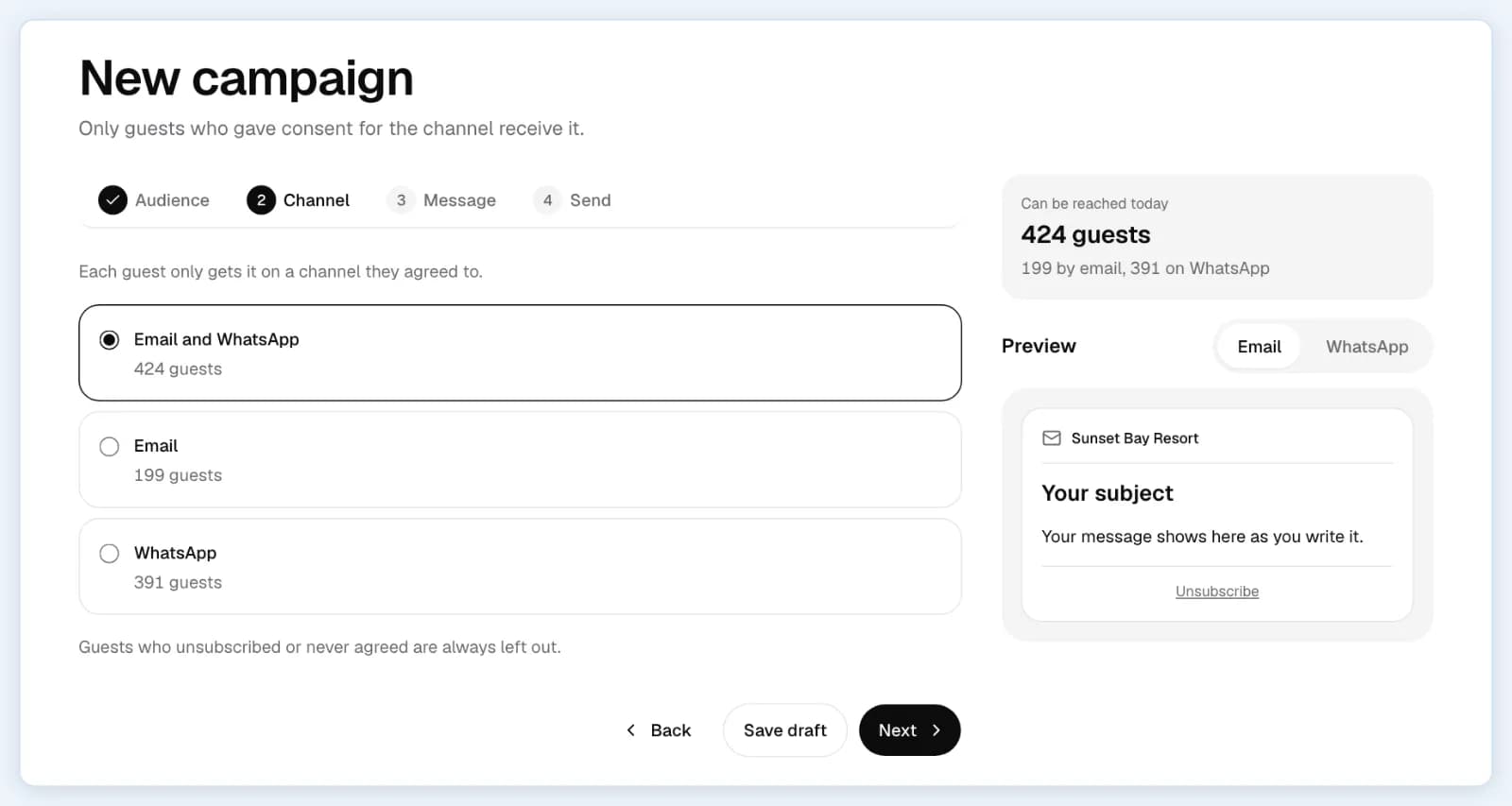
- How many guests can be reached.
- Next.
2. Channel. Email, WhatsApp or both. Email is free, WhatsApp is paid from your balance.
3. Message. A name for your team, then the text in each language you want. Attach an offer if you like.
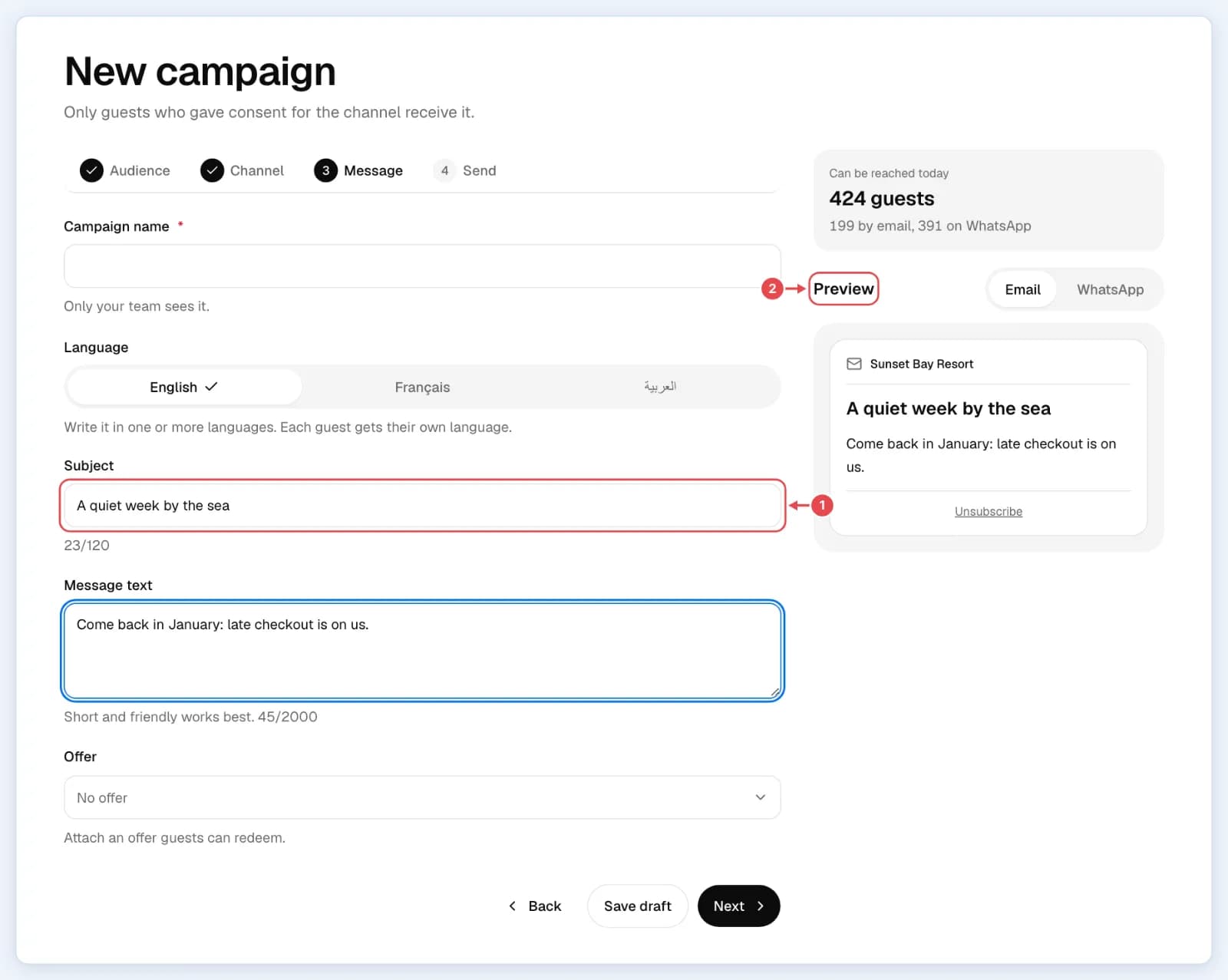
- The subject.
- The preview of what the guest receives.
4. Send. Keep it as a draft, send now or schedule it.
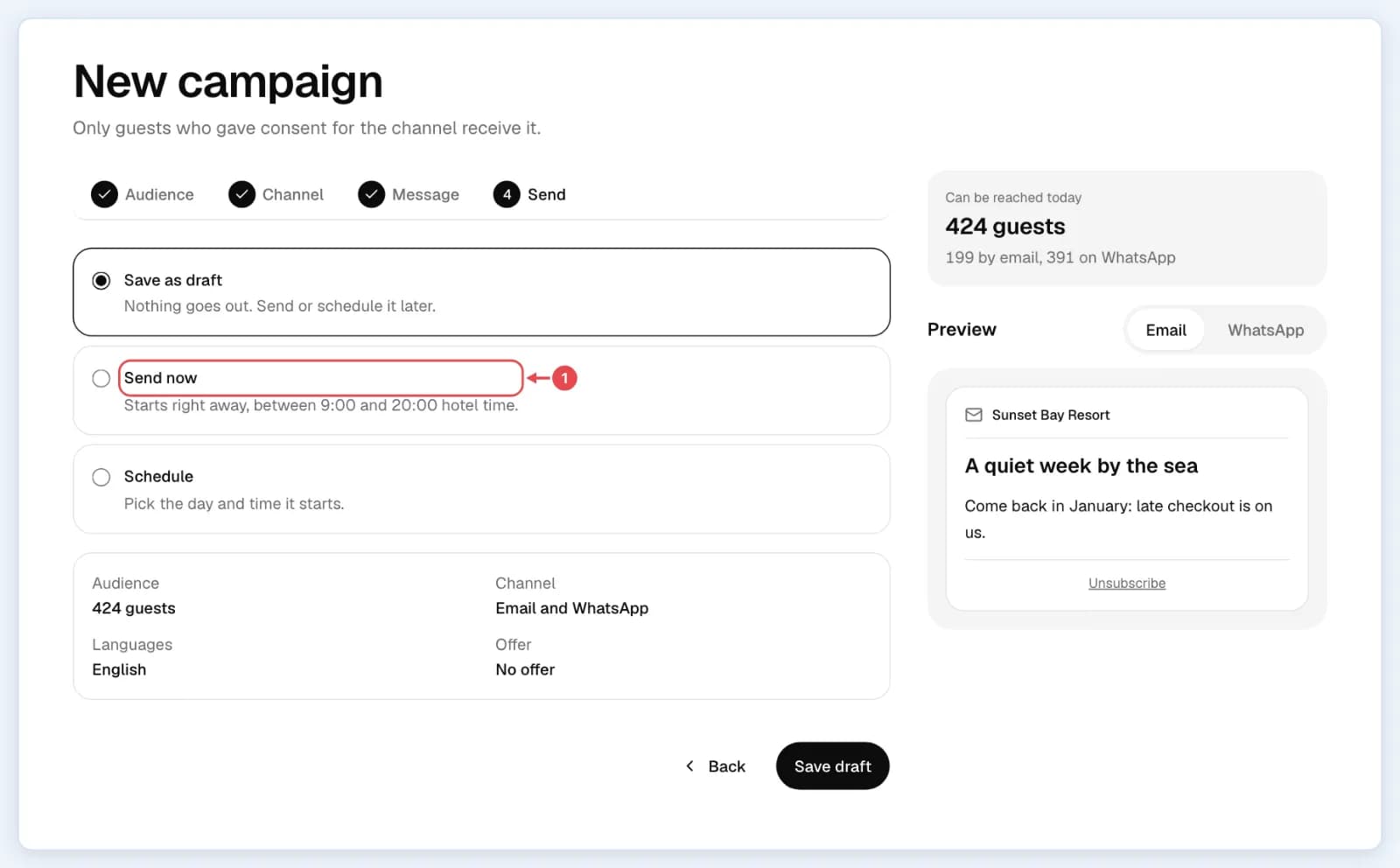
- Send now starts right away. Campaigns only go out between 9:00 and 20:00 hotel time.
Before you send, open the draft and use Send a test to me.
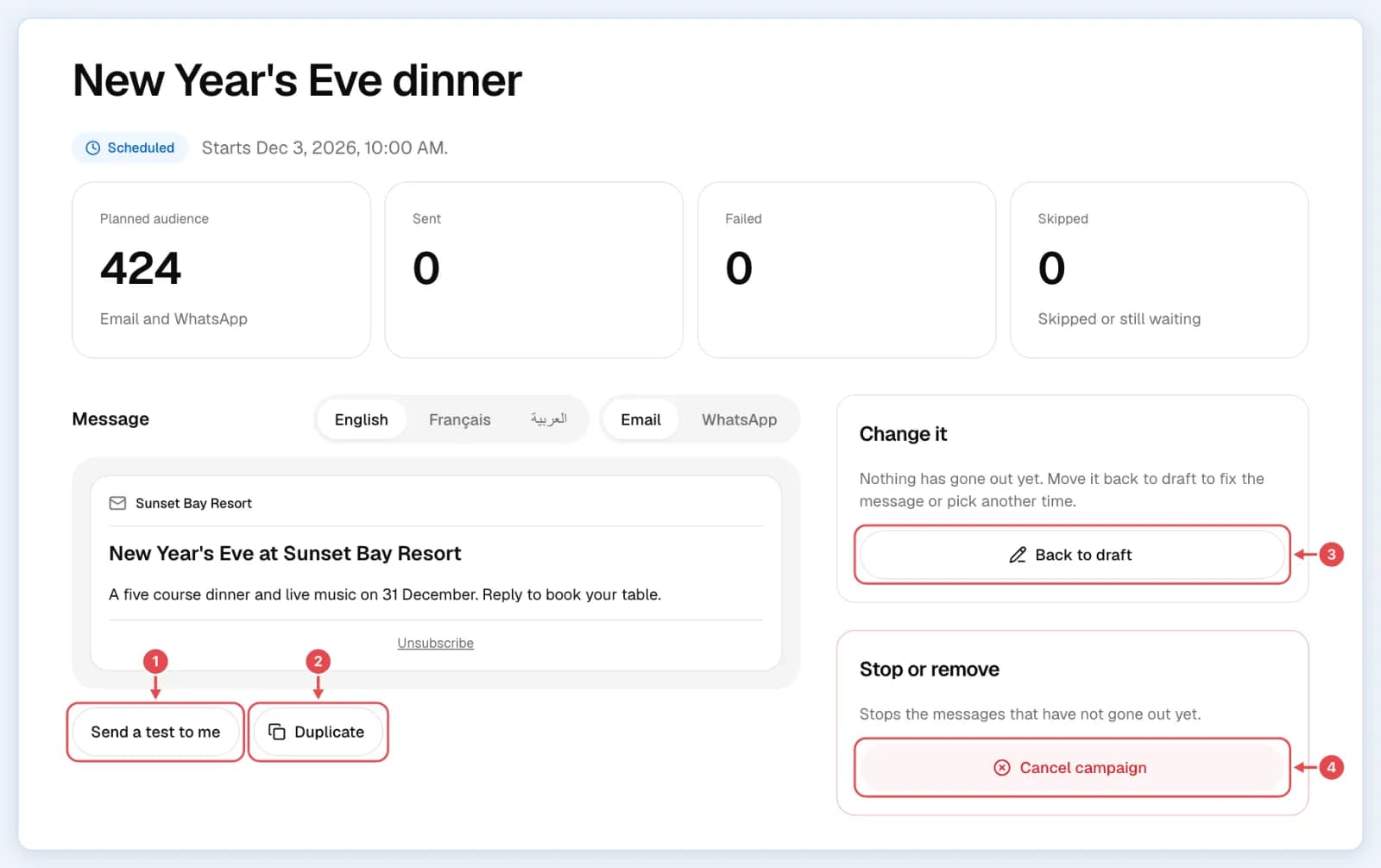
- Send a test to me.
- Duplicate to reuse it as a new draft.
- Back to draft to change the text or the time before anything has gone out.
- Cancel campaign stops the messages not sent yet.
Messages that go out on their own
| Message | When |
|---|---|
| Welcome | Right after a guest signs up or you add them. Not for imports. |
| Birthday | On the day, from 9:00, if you have an active birthday offer. |
| Stay survey | About 24 hours after check-out, or 8 days after sign-up when there is no date. Table sign-ups and imports need a departure date. |
| Holiday greeting | At 09:00 on each holiday you switched on. |
Each only goes to channels the guest agreed to, and never at night (21:00 to 08:00 hotel time).
Holiday greetings
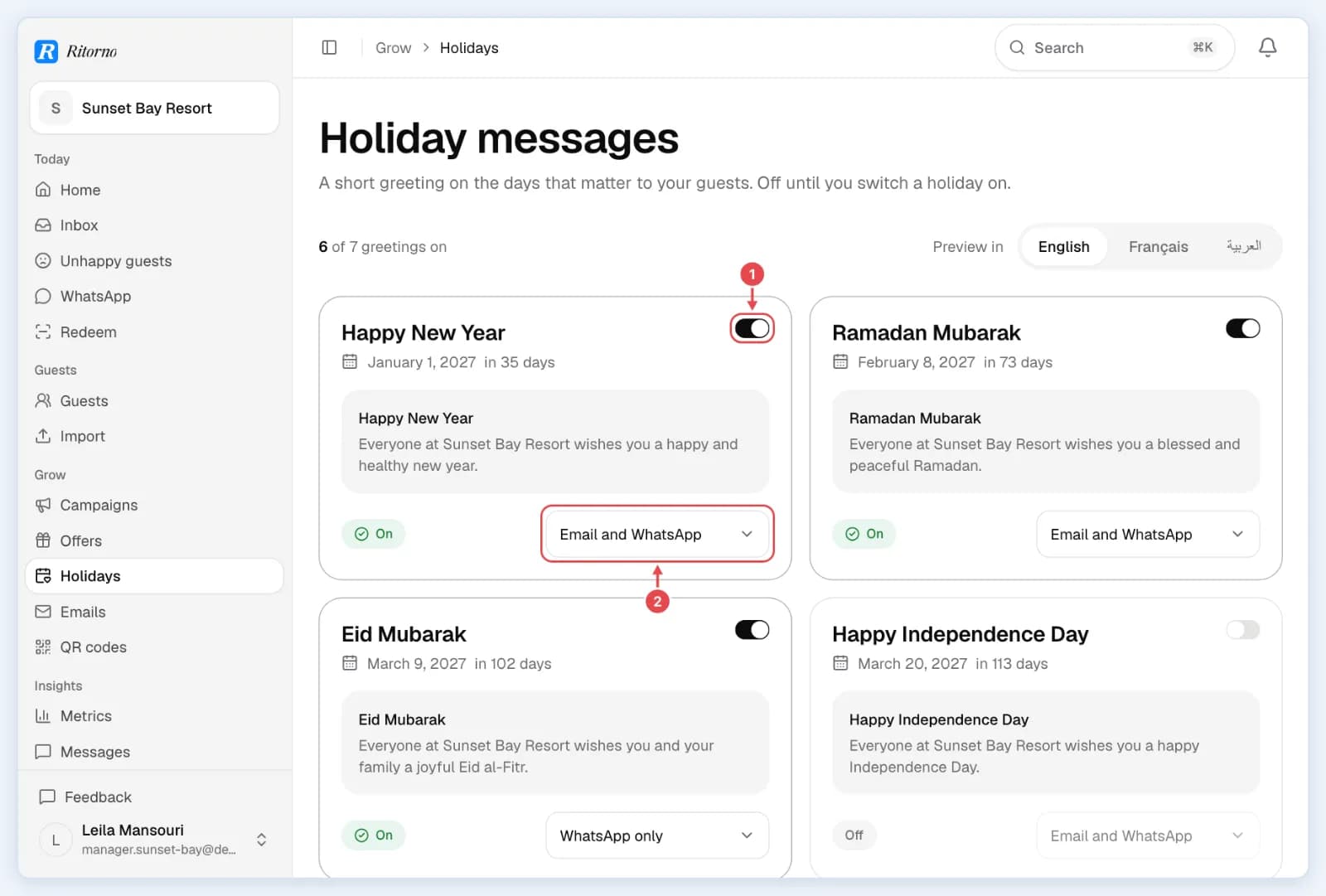
- Switch a holiday on. They are all off until you do.
- Choose email, WhatsApp or both.
Islamic dates follow the astronomical calendar and can move by a day.
See your emails as a guest does
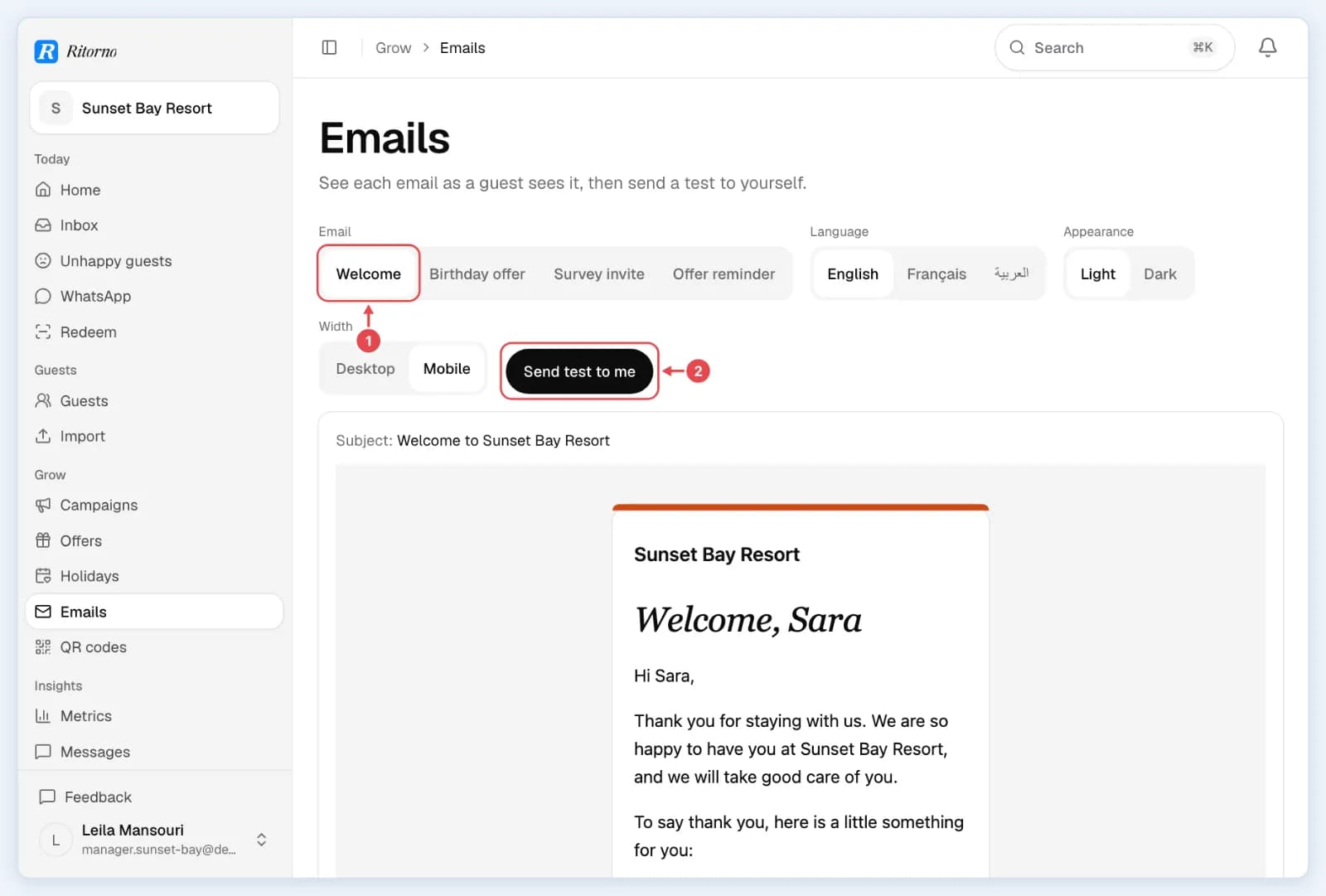
- Pick the email, its language and light or dark.
- Send test to me.
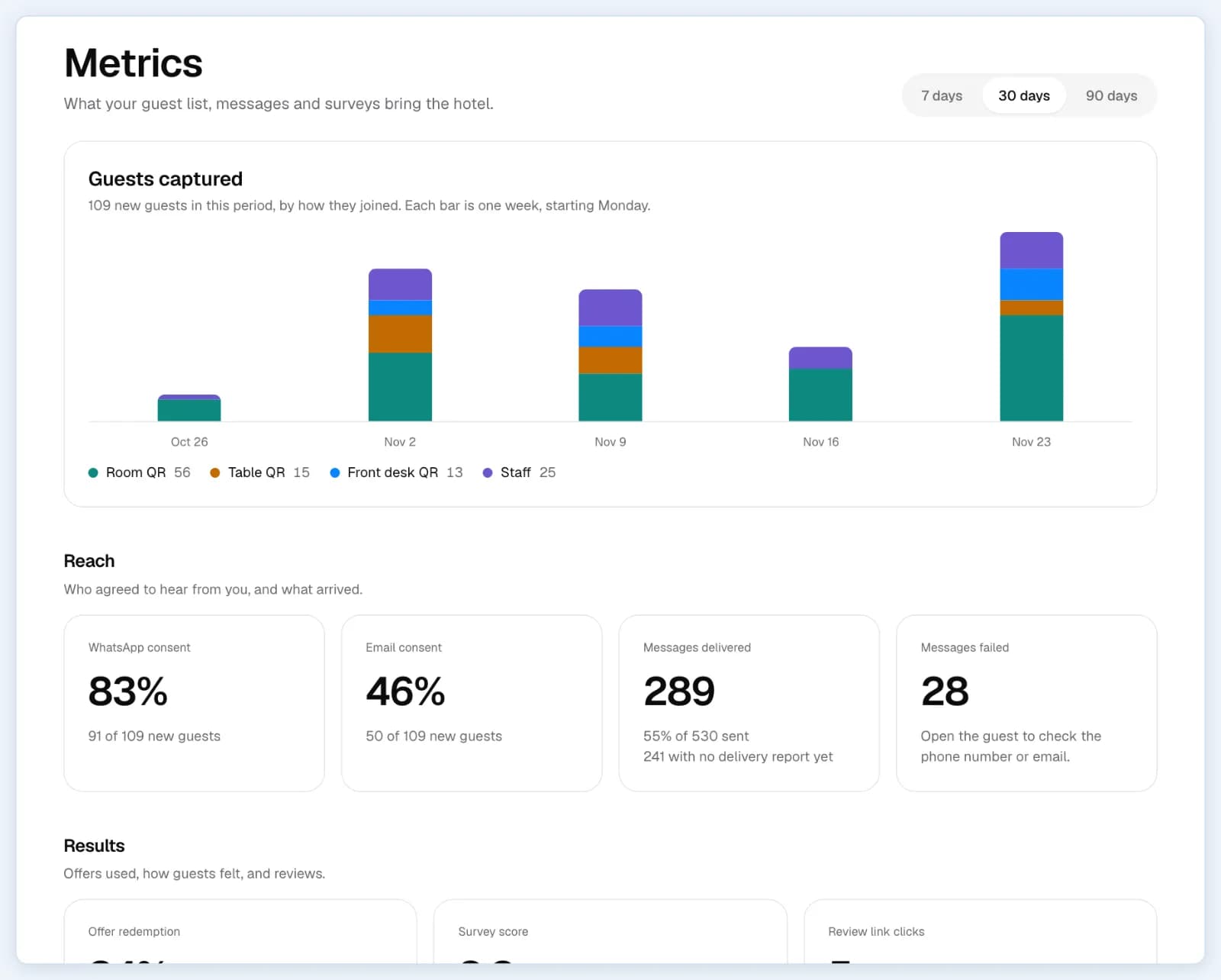
Results
Metrics shows new guests by how they joined, consent rates, delivered messages, offers used, the survey score and Google review clicks, over 7, 30 or 90 days.
Messages lists every message and what happened to it. Open the guest to check their number or address when one failed.
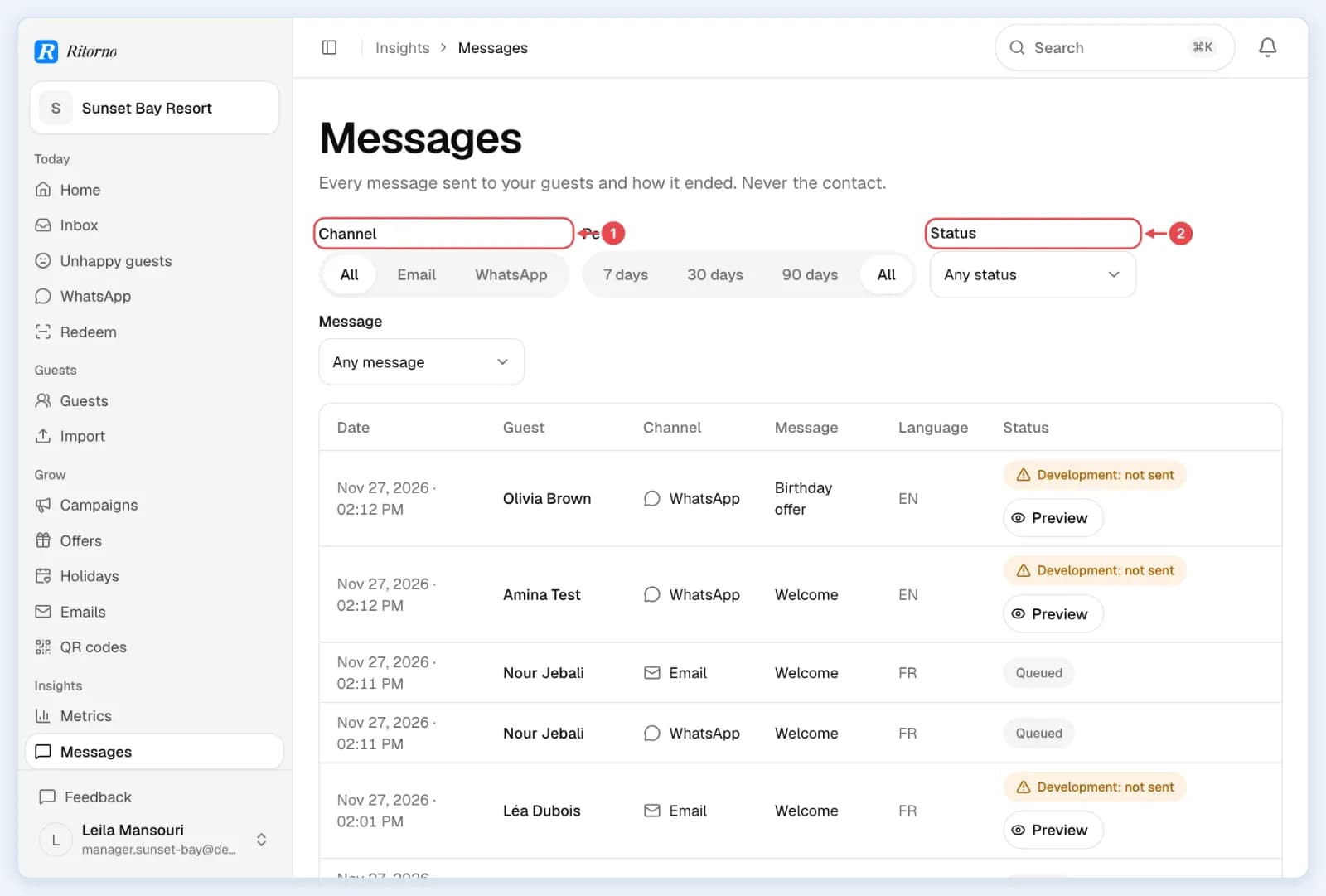
- Filter by channel and period.
- Filter by status, for example failed.
Next: the owner.