Owner
Set up the hotel, invite the team, pay for WhatsApp and look after guest data.
Managers can do these tasks too. Everything in the manager and front desk pages is yours.
Set up a new hotel
On a new hotel, Home shows a short checklist. Each step ticks itself when it is done.
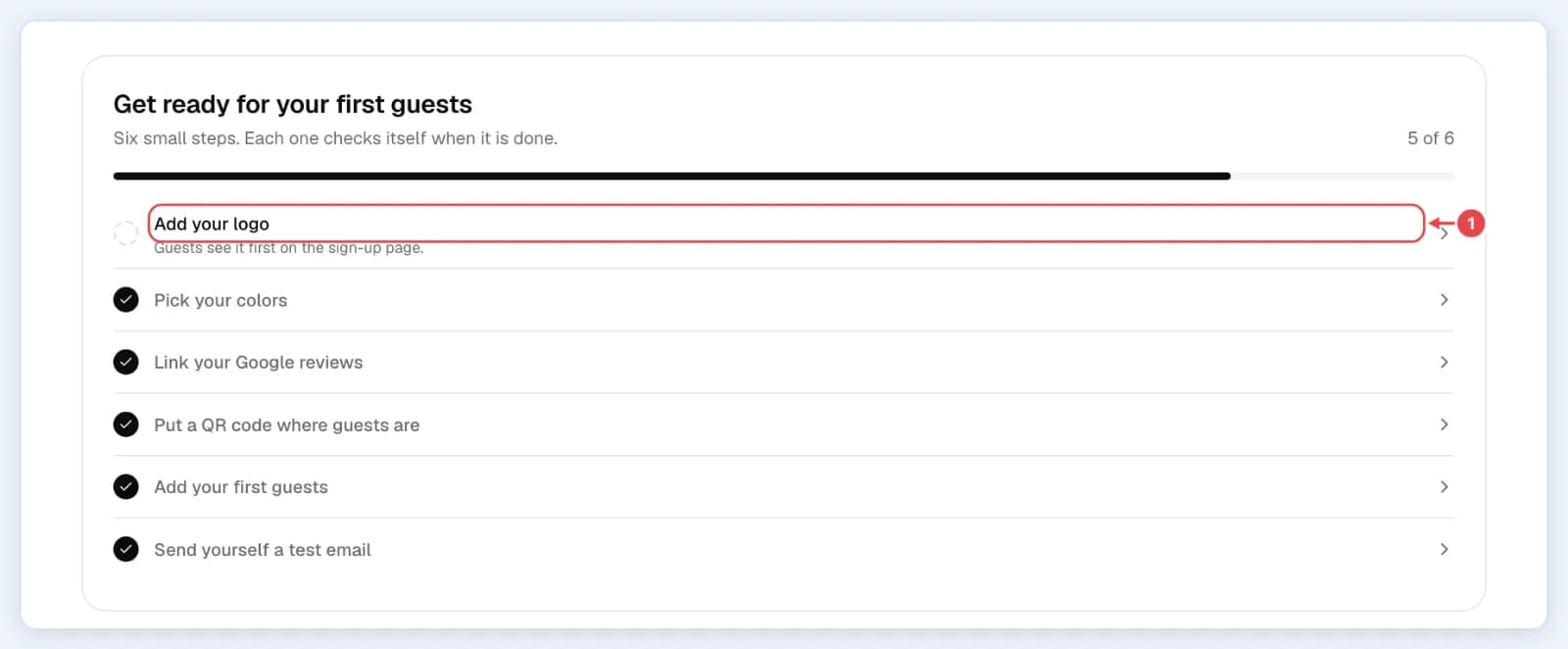
- Select a step to go straight to the right page. Do them before guests start scanning.
Hotel settings
Open Settings, then Hotel. Each part saves on its own.

- Logo: PNG, JPEG or WebP, 1 MB at most.
- Name, colors and the guest language used when we do not know the guest's own. The preview updates as you type.
- Reply-to email: answers from guests arrive here. Also set your address and time zone.
- Send a test alert to check that low score alerts reach you. They go to the reply-to address, or to an owner when none is set.
- Low score alert: the score out of 10 at or below which you are warned. It starts at 6.
- Google review link: after the survey, every guest is invited to share their review there, whatever their score.
The weekly summary switch emails owners the counts of the week every Monday, without guest details.
Your team
Open Settings, then Team. Give each person their own account, never a shared one.
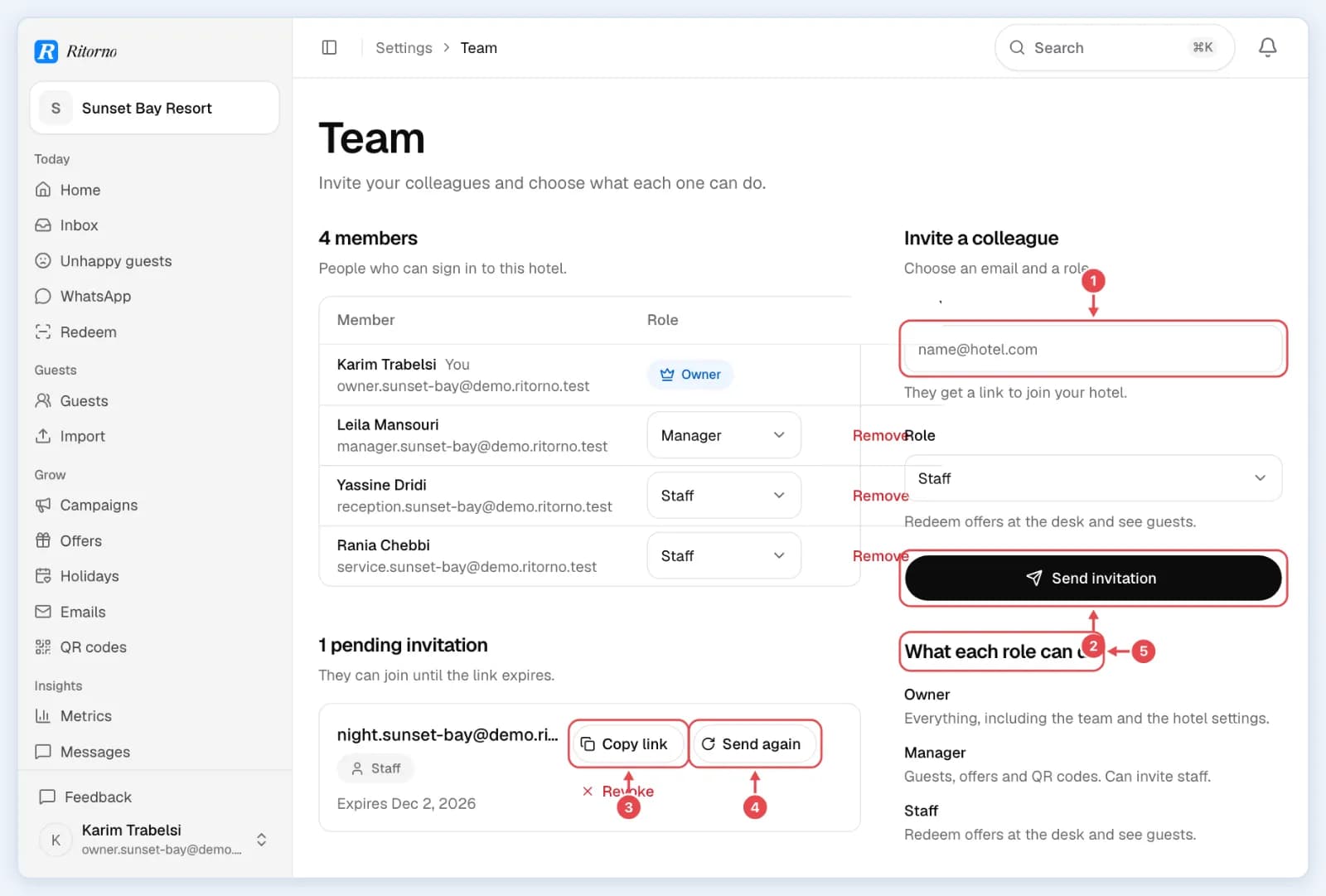
- The email of the new colleague, with a role below it. See who can do what.
- Send invitation.
- Copy link if the email did not arrive, and pass the link to that person only.
- Send again. Revoke cancels an invitation.
- What each role can do.
Change a role with the list next to a name. When someone leaves, select Remove the same day: they lose access at once.
WhatsApp balance
Email is free. WhatsApp messages are paid in advance. Open Settings, then Usage.
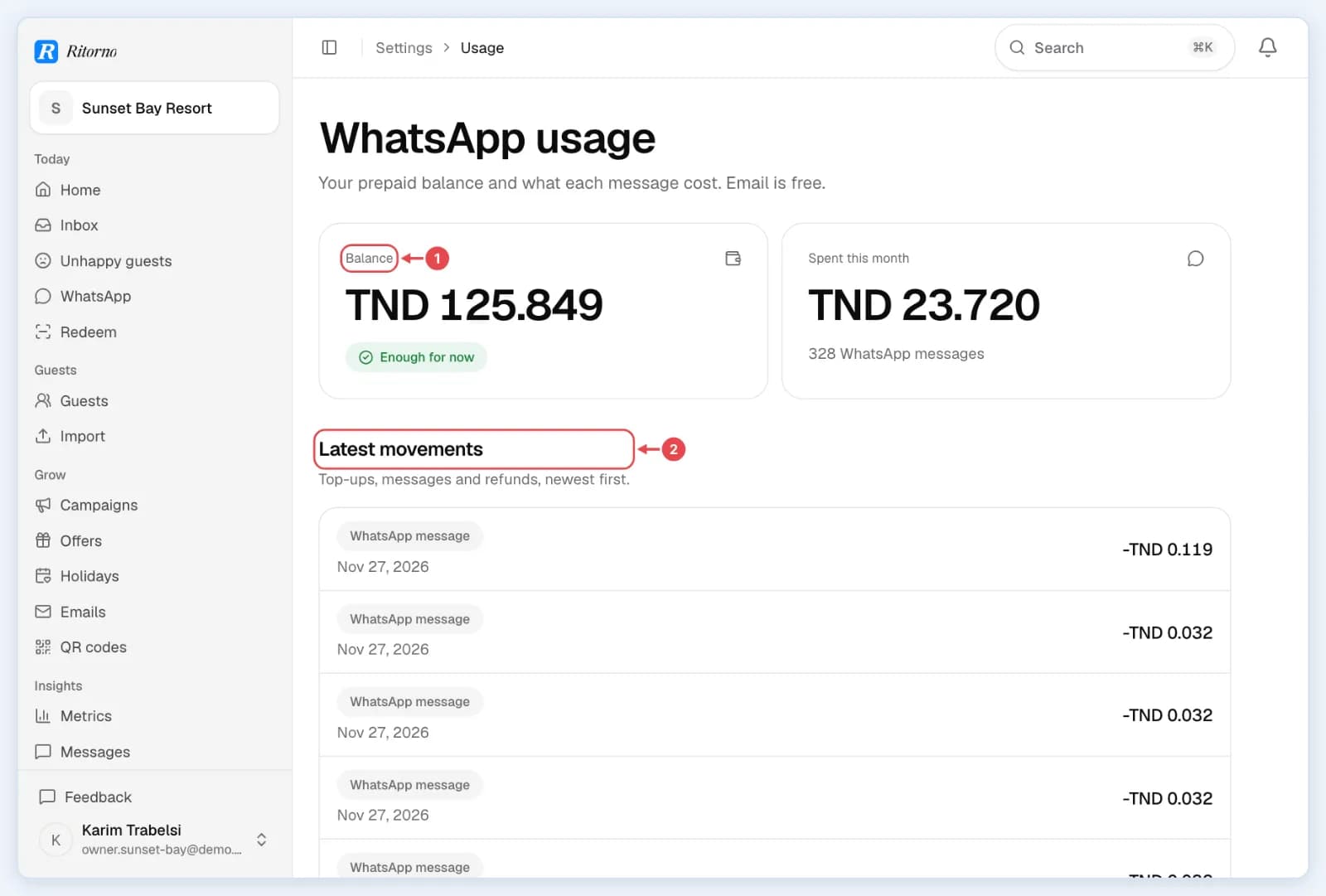
- What is left. At zero, WhatsApp messages stop and email keeps going. Ask the Ritorno team to top up.
- Every top-up, message and refund. A message that could not be delivered is refunded.
Guest data requests
Your guests may ask for a copy of what you hold about them, or ask you to delete it. Open Settings, then Guest data.
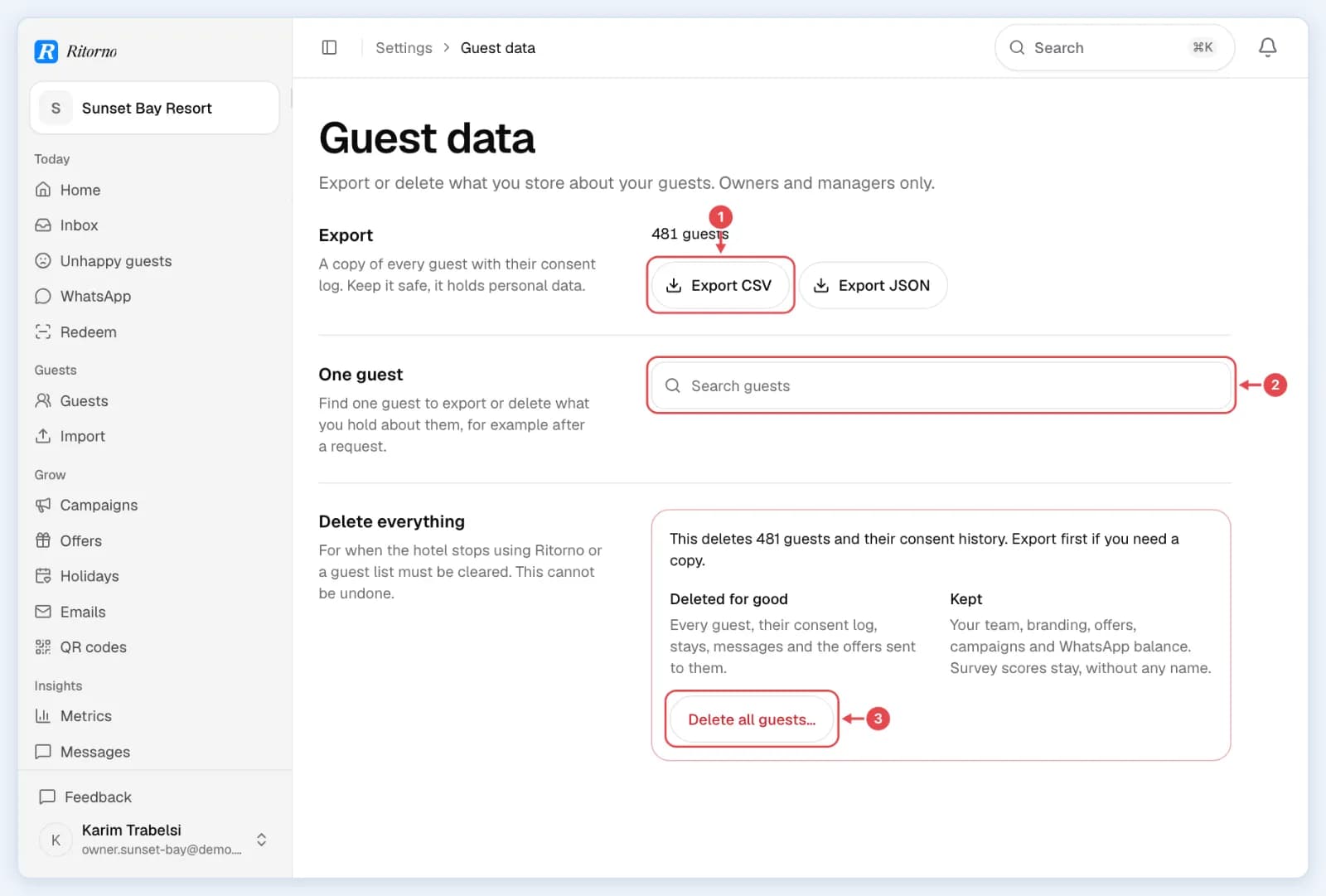
- Export every guest with their consent history, as CSV or JSON. The file holds personal data: store it safely and delete it when you are done.
- One guest: search for the person to export or delete their data.
- Delete all guests removes everyone for good and asks you to type the hotel name. There is no undo. Export first.
Who did what
Settings, then Activity log, lists what your team and the Ritorno team did, newest first.

- Filter by action, person or dates, then Apply.